
Exploring the Potential of AI Tools in Modern Graphic Creation
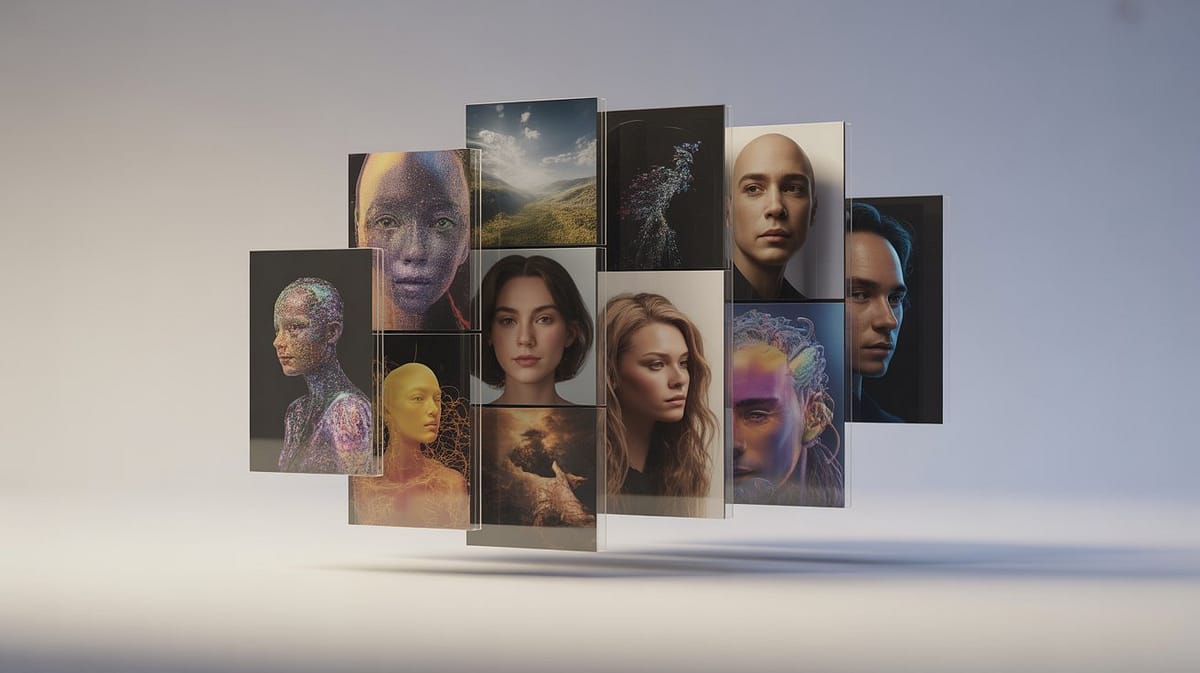
We were curious how different platforms would handle the exact same task, so we decided to run a practical AI image generator comparison. Instead of listing features, we wanted to see how each tool interprets a detailed prompt and how well it captures realism, lighting, mood and subtle emotional cues. This way, we could get a fair overview of how today’s AI image generation tools deal with depth, texture and atmosphere when producing high-quality visuals.
To keep everything consistent, we selected one comprehensive prompt — something rich enough to test facial structure, natural lighting, mood and tiny atmospheric details. It’s the kind of prompt that reveals whether an engine can handle both realism and more artistic compositions.
“Close-up of a young woman standing in a soft sunlit meadow at dawn. Her face is the main focus: expressive eyes, subtle smile, and natural, lifelike skin textures. Tiny details like freckles, fine strands of hair, and the way sunlight hits her cheeks are visible. She has lightly wavy blond hair, gently tousled by the wind. Minimal background: blurred meadow and soft city skyline in the distance, warm morning light. Realistic lighting, cinematic depth, ultra-detailed face and eyes, natural emotions clearly readable, soft atmospheric focus.”
Each tool approaches the prompt differently, revealing its own strengths, weaknesses and signature style. Ideogram AI focuses on ultra-realistic textures and facial detail, Stable Diffusion offers deep control over style and parameters, while Artbreeder excels at creative variations in color and features. DeepAI and Fotor are perfect for quick results and easy entry into AI graphic tools, giving users a simple way to experiment with different visual approaches.
For this AI image generator comparison, we avoided any extra post-processing or corrections. Each image came straight from the tool, using the exact same prompt. This allowed us to compare how well each platform captures realism, lighting and mood — and how consistently they produce realistic AI graphics that feel natural rather than artificially sharpened. Such a direct comparison makes it easier to choose the best AI image generator for different creative workflows.
We also paid attention to the interface and the overall level of control. Some platforms give advanced users deep parameter customization, while others prioritize speed and simplicity — an ideal match for beginners entering AI-assisted graphic creation. Across all these tools, one thing is clear: no matter your experience level, there’s an AI image generator that fits your workflow and helps you produce polished, visually coherent results.
In this article, we walk through the outcomes of all five tools, including the generated images, distinctive strengths, and practical insights. Think of it as more than just a feature list — it’s a guide that helps you unlock the full potential of AI image generation tools, boost your creative process and apply AI effectively in everyday visual projects.
We also added a set of small “tips & tricks” sections where we show how to optimize your prompts, tweak the details and achieve realistic AI graphics even with a limited number of generation attempts. This makes the entire AI image generator comparison not just a test, but a practical, creativity-driven tutorial that helps you pick the right tool and get the most out of your ideas.
Graphics – a Practical Overview of the Results
In this section, we present the results of our full AI image generator comparison. All five tools worked with the exact same prompt, allowing us to clearly see how each platform handles detail, lighting, atmosphere and overall style. This isn’t just a dry feature list — it’s a real, practical test of how today’s AI graphic tools deal with realistic portraits, atmospheric scenes and more experimental compositions. With these examples, users can understand which tool fits specific goals and everyday creative workflows when working with AI image generation tools.
1. Ideogram AI
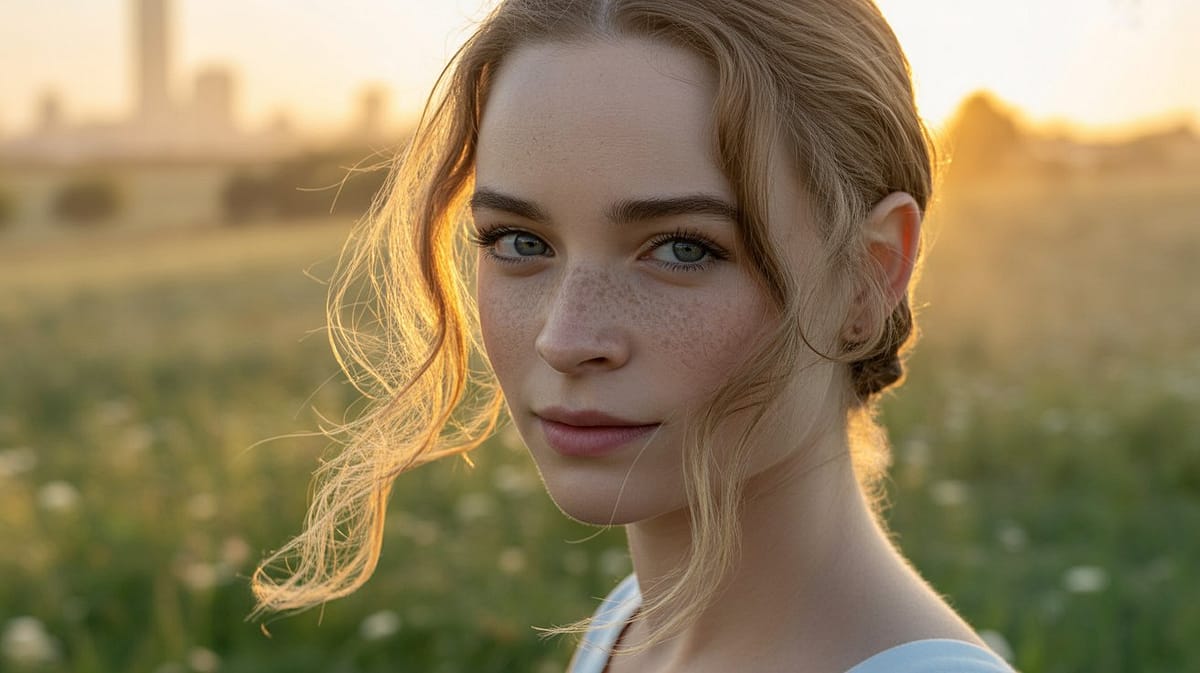
In practice, Ideogram AI shines in any AI image generator comparison thanks to its precision in facial detail, light control and emotional expression. It’s an ideal choice for users who want realistic results without deep technical setup, while still learning how AI image generation tools interpret visual prompts.
2. Stable Diffusion
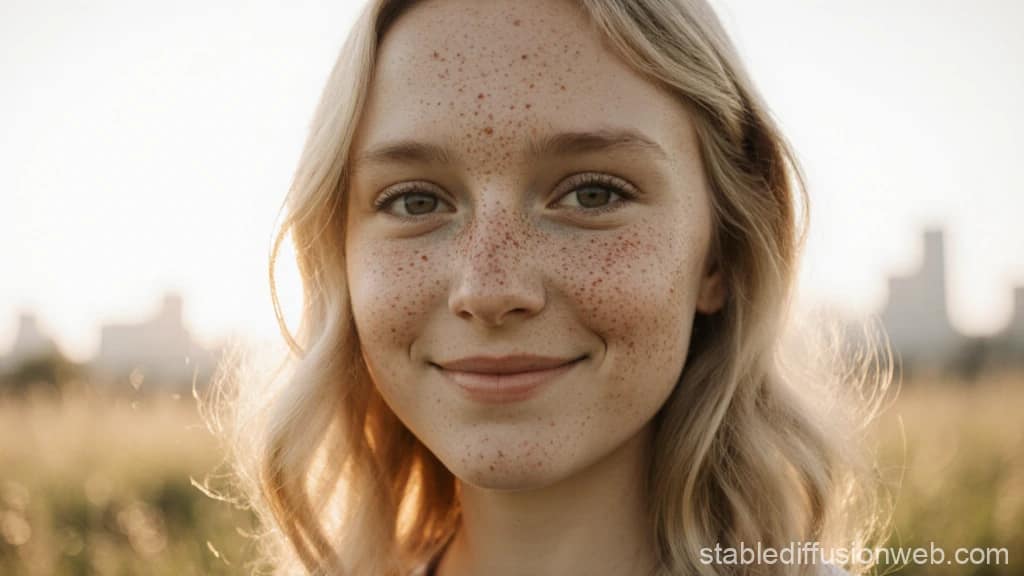
Stable Diffusion lets users dive deeper into how AI image generation tools actually work. With enough tweaking, it can produce extremely detailed scenes and realistic AI graphics, offering near-complete control over backgrounds, lighting and character details — a huge advantage for professionals seeking full creative freedom.
3. DeepAI Text to Image
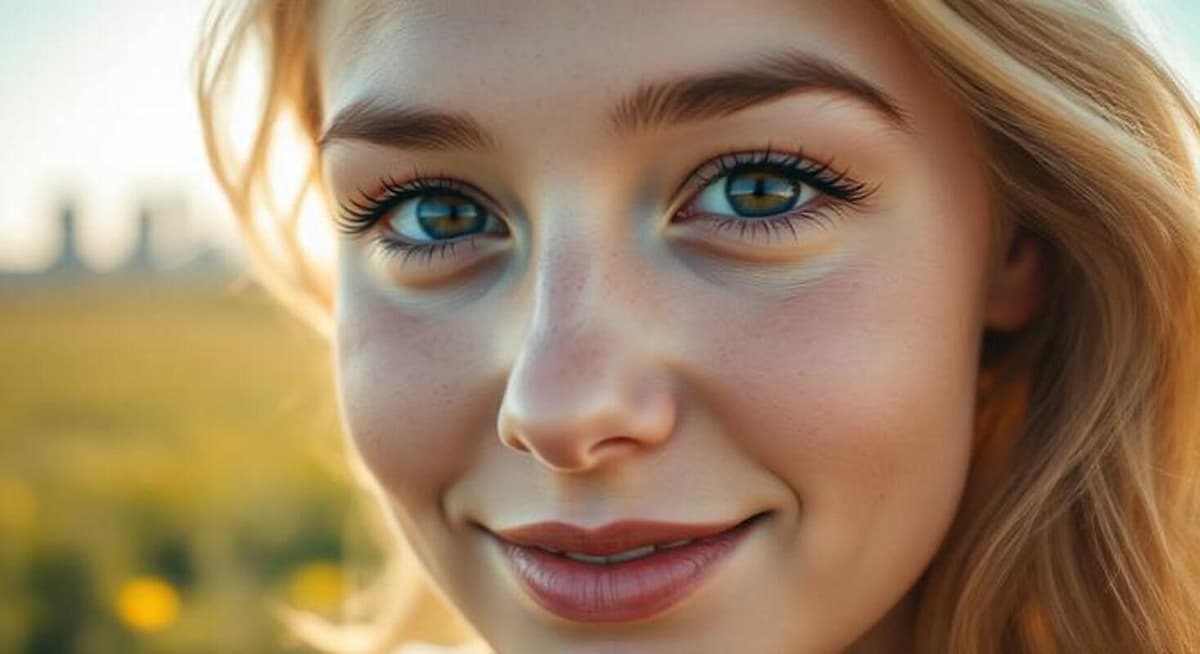
DeepAI Text to Image is perfect for quick prompt variations and creative experimentation — a valuable part of any AI image generator comparison. It’s a beginner-friendly starting point for learning the basics of AI-assisted visual design.
4. Fotor AI Image Generator
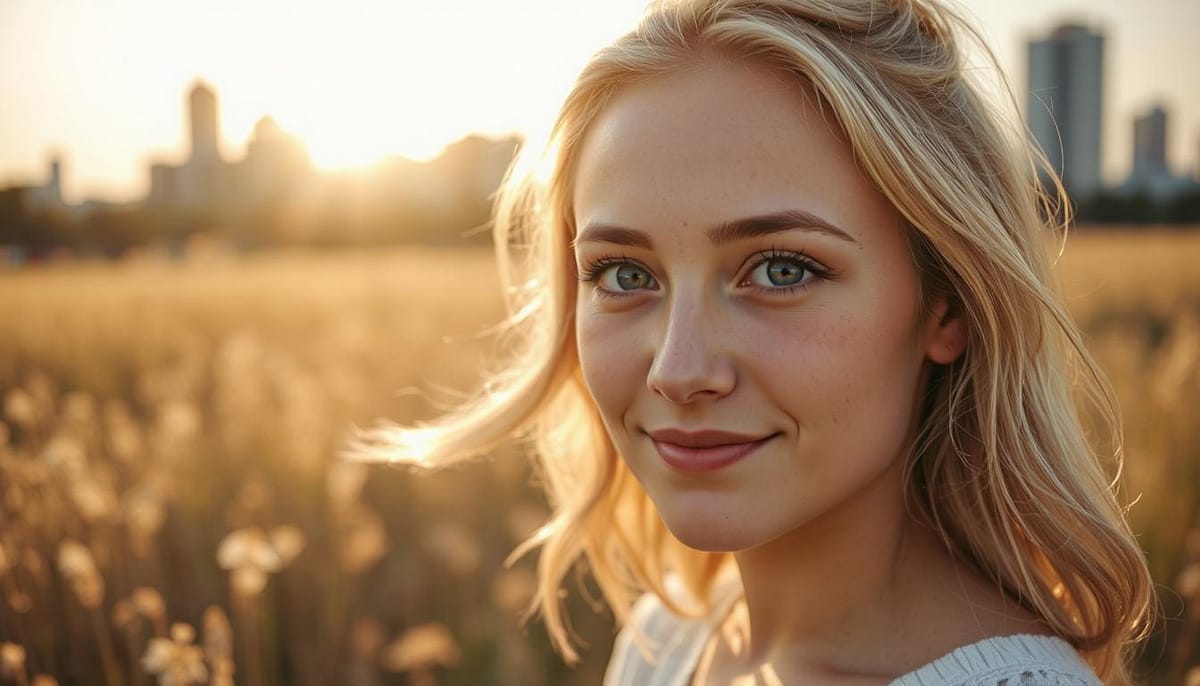
In this AI image generator comparison, Fotor shows how effectively users can experiment with atmosphere and style, even with limited attempts. It’s a strong platform for quick tests and learning how AI can support everyday graphic design.
5. Artbreeder
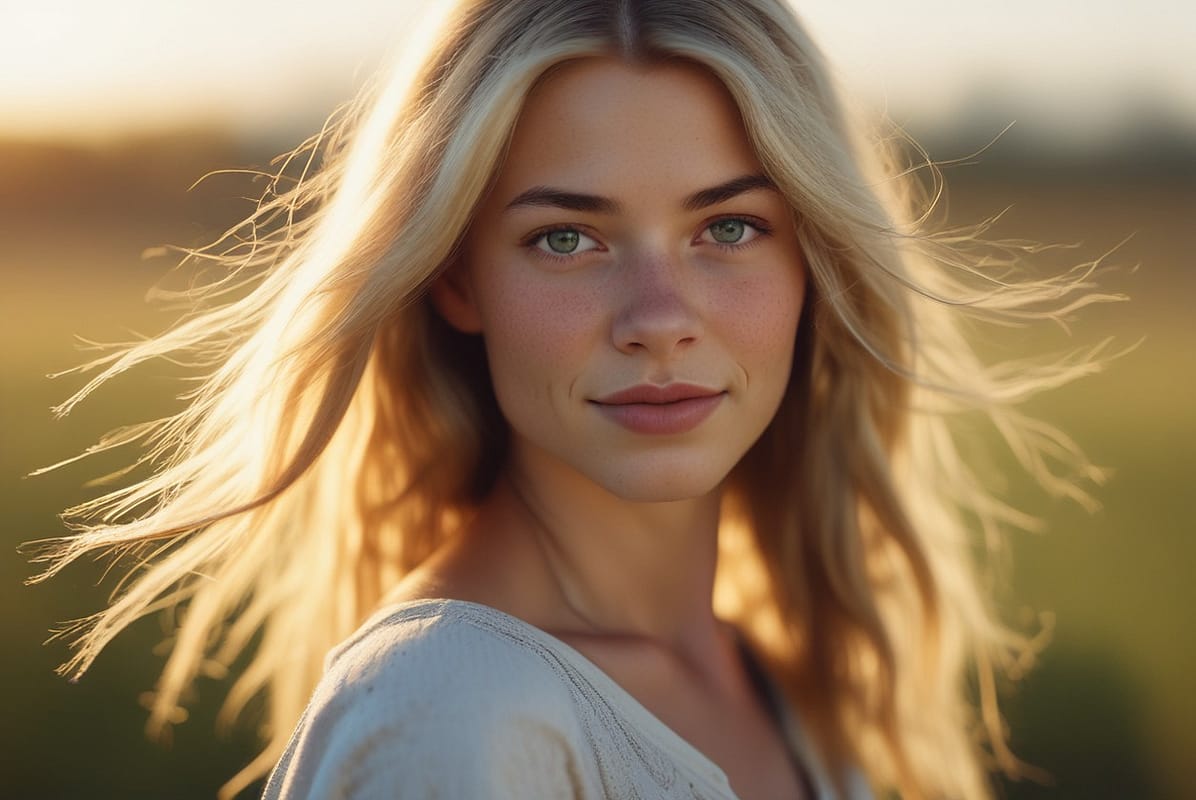
Artbreeder is especially useful for understanding how small prompt changes influence the final result. It’s a great platform for creatives who like experimenting with feature combinations, color grading and stylistic variations — and observing how the output evolves.
To sum up, each tool in our AI image generator comparison showcases a different interpretation of the same prompt. Ideogram AI excels at portrait realism, Stable Diffusion offers deep control, Artbreeder unlocks creative mixing, and DeepAI and Fotor deliver fast, simple multi-style generation. For anyone using AI image generation tools, factors such as prompt control, generation speed, detail quality and interface usability are key to choosing the right platform.
In the next part of the article, we show how these differences translate into practical use cases and which tools perform best in various scenarios — from realistic portraits to artistic experiments and rapid idea prototyping. Effective AI image generators don’t just require good prompts; the tool you choose matters just as much. That’s why an informed AI image generator comparison is essential when matching a platform to your project style, skill level and expected results.
Tool Comparison
When comparing modern AI image generators in 2025, it helps to look beyond the usual buzzwords. What really matters is how precisely the tool follows the prompt, how realistic the details are, how fast it generates images, how easy it is to use, and whether you can edit or upscale the results. Flexibility also plays a big role, especially if you plan to integrate the tool with other apps. A full, practical AI image generator comparison makes it much easier to choose the right tool—whether you’re a beginner experimenting for the first time or someone working on advanced visual projects. With the right setup, today’s AI image generators can deliver visuals that meet both artistic and technical standards.
Ideogram AI is a strong choice for anyone focused on realistic portraits or illustrations that rely on subtle details—hair texture, skin tones, soft lighting, all those small elements that make an image feel convincing. One of its biggest advantages is consistency. Even when you change the prompt slightly, the results stay stable, which saves time and makes the workflow predictable. Because it handles text on images unusually well, Ideogram is also a practical option for marketing graphics, posters, infographics, and social media assets.
Stable Diffusion stands out thanks to its open-source foundation. Users can fine-tune models, switch between custom versions, and run everything locally—an advantage for projects involving large files or high-resolution outputs. It gives you full control over prompt parameters, style, lighting, and the smallest visual details, which is why professional designers and concept artists rely on it. With countless plugins and active communities sharing presets, workflows, and inspiration, Stable Diffusion becomes not just a generator but a full creative environment.
DeepAI Text-to-Image is fast, lightweight, and perfect for testing ideas. You enter a prompt, pick a style—realistic, anime, painterly—and within seconds you get a workable image. Its biggest advantage is simplicity, and because it includes an API, it’s great for automating image generation or adding visual features to apps. The trade-off is less precision and fewer styling controls compared to more advanced AI graphic tools like Stable Diffusion or Ideogram AI.
Fotor AI Image Generator is all about speed and convenience. It applies automatic color correction, lets you create variations, and offers simple editing after the image is generated. It’s an excellent match for people who need eye-catching visuals quickly—social media posts, ads, landing page graphics, and similar tasks. The downside is that quality can vary with more complex prompts, and the credit-based system means you need to plan bigger projects carefully. Still, for rapid prototyping and accessible AI image generation tools, Fotor gets the job done.
Artbreeder works on the principle of mixing and evolving visual “genes,” which makes it ideal for experimental design. You can adjust facial features, colors, shapes, and styles with remarkable precision, creating endless variants. It’s especially useful for designing characters, fantasy landscapes, and imaginative concepts. While the creative freedom is huge, reaching a polished and realistic result takes time and patience. For users who want to explore new styles and control every detail, Artbreeder offers a unique creative experience.
Ultimately, the choice depends on your goals and workflow. Ideogram AI and Stable Diffusion excel in professional projects requiring precision and control. DeepAI and Fotor are best for quick tests and early-stage concepts. Artbreeder is ideal for creative exploration and stylistic experiments. Combining these tools, experimenting with prompts, and learning their strengths leads to the best results—and helps you develop your own visual style in the process.
Conclusions and Practical Recommendations for Creators
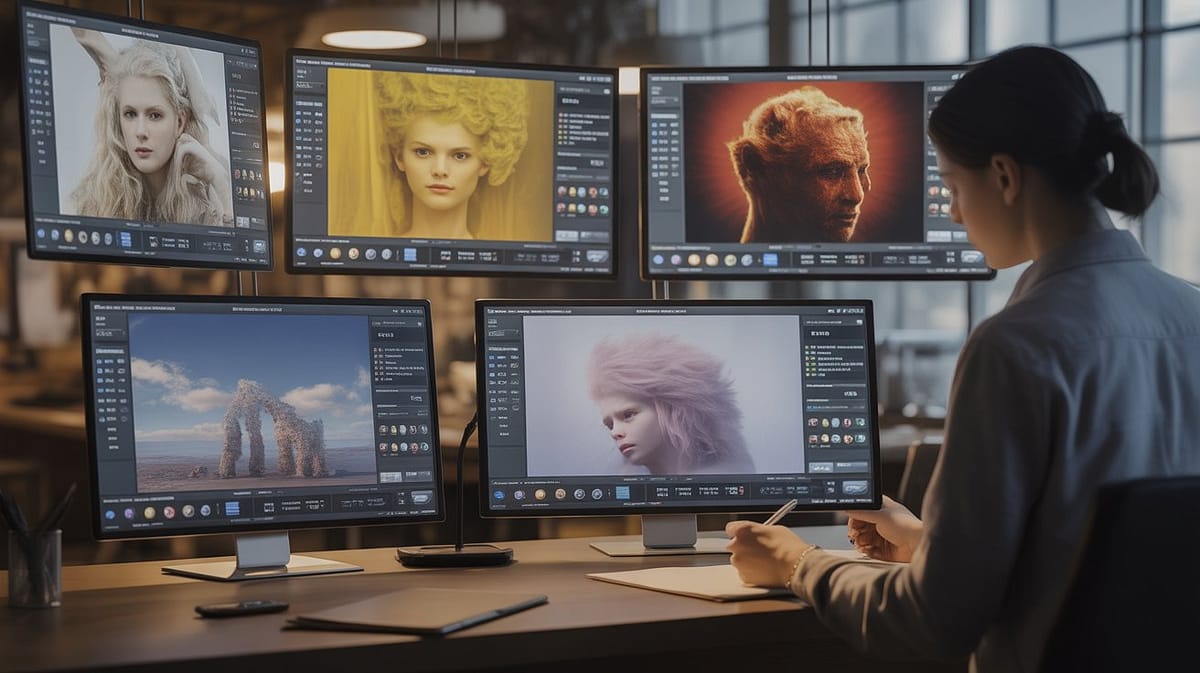
During our test of AI image generation tools, we observed differences in prompt interpretation and the quality of generated results. Each tool demonstrates a different approach: some prioritize realism and fine details, others focus on creativity and experimenting with composition, while others provide quick visualizations with minimal effort. Ideogram AI and Stable Diffusion stand out for their precision in rendering facial details, natural lighting, and subtle textures, enabling the creation of realistic AI images for both commercial and artistic projects. They also highlight the potential of controlling style, scene depth, and prompt settings when generating AI images.
DeepAI Text to Image and Fotor AI Image Generator, on the other hand, offer speed and ease of use, which is useful for testing different prompt variations and observing how small changes affect color, lighting, and composition layout. They make it easy to experiment with various styles and effects, and to analyze the AI image generation process in practice. These tools also help users notice subtle differences in the quality of realistic AI images, which is valuable for both beginners and more advanced creators.
Looking at the comparison of AI tools, it is clear that the final result depends on factors such as detail precision, control over color, lighting, scene depth, and style. Therefore, beginners should start with tools that provide quick and intuitive results while learning the fundamentals of AI image creation and observing how changes in prompts affect the final outcome.
For more experienced users, the best tools are those that offer full control over details, style, prompt parameters, and image composition. Stable Diffusion and Ideogram AI allow the creation of realistic AI images at a professional level and support experimentation with layers, lighting, and character proportions. Our AI image generation tools test demonstrates that even small prompt adjustments can significantly alter the results.
Ideogram AI excels at portraits, book illustrations, and character visualizations for games. Stable Diffusion is suitable for generating artwork for artistic and marketing projects, as well as creating alternative versions of scenes and styles from the same prompt. DeepAI and Fotor are ideal for rapid prototyping of ideas, while Artbreeder offers nearly limitless possibilities for creatively mixing attributes, supporting both the AI image creation process and the production of realistic AI images.
The choice of tool depends on the project’s goal, user experience level, and desired level of detail. Beginners should start with intuitive platforms that quickly deliver satisfying results in AI image creation, while experienced users can use more advanced tools to refine details, experiment with new styles, and control prompt parameters. Regular testing of different tools and comparing AI tools facilitates choosing the best solution for a given project.
Our AI image generation tools test shows that success in generating AI images requires patience, precise prompt descriptions, and a willingness to experiment. Understanding the strengths of each tool allows creators to produce graphics ranging from realistic portraits to creative, experimental compositions and to fully leverage available AI technologies. This enables users to develop skills in the growing field of AI and discover new possibilities in AI-assisted creation.
There is no single “best” tool — each has its strengths and limitations. Experimenting with different prompts, styles, and tools enhances creativity and streamlines the workflow when comparing AI tools, while regularly testing results in AI image generation becomes both a learning experience and an inspiration for future projects.
Discover Your Own AI Style
After running the test, it becomes clear that each of the five tools has its own personality and strengths, shaping the final result in a unique way. Ideogram AI and Stable Diffusion perform best when it comes to realistic portraits and scenes where every detail matters—from individual strands of hair to subtle cheek highlights. This makes them particularly strong options for generating truly lifelike images. DeepAI and Fotor enable fast experimentation across multiple styles, which is perfect for testing ideas and iterating prompts, while Artbreeder supports more exploratory and creative image development.
Effective AI image generation requires precision, patience, and a willingness to experiment. Even a small change in a prompt can completely shift the mood, style, or composition of the final image. That’s why we encourage hands-on exploration: observe how different AI image generators interpret the same prompt, play with details, explore styles, tweak settings, and push the boundaries to achieve truly realistic AI graphics.
For beginners, the best starting point is intuitive tools that deliver satisfying results quickly, letting you focus on experimenting with color, lighting, and overall composition. Advanced users will benefit from platforms that offer full control over details, shading, and stylistic parameters—ideal for professional-level AI image generation and discovering new visual variations.
Our AI image generator comparison clearly shows how even subtle prompt modifications can influence the final output. Imagine a portrait, a cinematic scene, or an abstract concept—now you can bring that idea to life and generate realistic AI graphics, exploring even the most extreme visual variations. Creating AI-generated images is an exciting, limitless creative process.
There is no single “best” tool. What matters is choosing the capabilities that support your vision. Experiment with Ideogram AI, explore variations in Artbreeder, test lighting and colors in Fotor and DeepAI, and fine-tune details in Stable Diffusion—while observing the results of this AI tool comparison to refine your skills and build your own workflow.
We encourage you to continue exploring the possibilities of AI: testing tools on your own, mixing techniques, and iterating. Every prompt, every variation, and every experiment brings you closer to mastering AI image generation. With practice and creativity, any user can unlock the full potential of modern AI image generators and craft truly realistic AI graphics.
Expert Insights
When analyzing AI image-generation tools, specialists emphasize that producing high-quality visual outputs requires precise prompt engineering and a clear understanding of each platform’s limitations. As noted by Stability AI, the effectiveness of creating AI-generated graphics depends heavily on how accurately expectations are defined within the prompt and how well the system interprets visual complexity.
Our editorial comparison test showed that using the same prompt across five tools — Ideogram AI, Stable Diffusion, DeepAI, Fotor, and Artbreeder — produced noticeably different outcomes. Ideogram AI and Stable Diffusion offered the highest consistency even with limited user experience, while Artbreeder and Fotor performed better for creative experimentation. This observation aligns with findings from ArXiv, which highlight how algorithmic diversity directly affects prompt interpretation — a key factor when evaluating and comparing AI image-generation tools.
Our team recommends that users start by testing each platform with basic settings, closely examining subtle differences in composition, detail rendering, and overall realism. Once the strengths of individual tools become clear, it becomes easier to choose the platform that best matches the creative or commercial goal, maximizing the potential of AI image-generation workflows.
Experts agree: patience, consistent prompt experimentation, and intentional tool selection are the foundations of successful AI-assisted visual production and achieving high-quality, realistic illustrations for both professional and creative projects.
Support My Work
Thank you for reading this post! If you found it helpful, you can buy me a coffee ☕.
Your support means a lot and helps me continue creating content about online income and AI.

Sebastian is an AI and digital marketing expert with years of experience testing online tools and revenue-generation strategies.
This article was prepared by him together with our team of specialists, who contribute with expertise in content marketing, UX, process automation, and programming.
Our mission is to deliver reliable, practical, and high-value information that helps readers implement effective online strategies.